
 Smart Access for OneDrive
Handle OneDrive files on Mac with less sync hassle.
Smart Access for OneDrive gives you a focused Mac app for browsing, organizing, previewing, and sharing OneDrive files, while leaving files in OneDrive until you want them on your Mac.

- Keep shared folders and work documents easier to manage.
- Preview files before opening or downloading them.
- Keep more disk space free by leaving files in OneDrive until you want them locally.
- Manage more than one OneDrive account in a simpler Mac workflow.
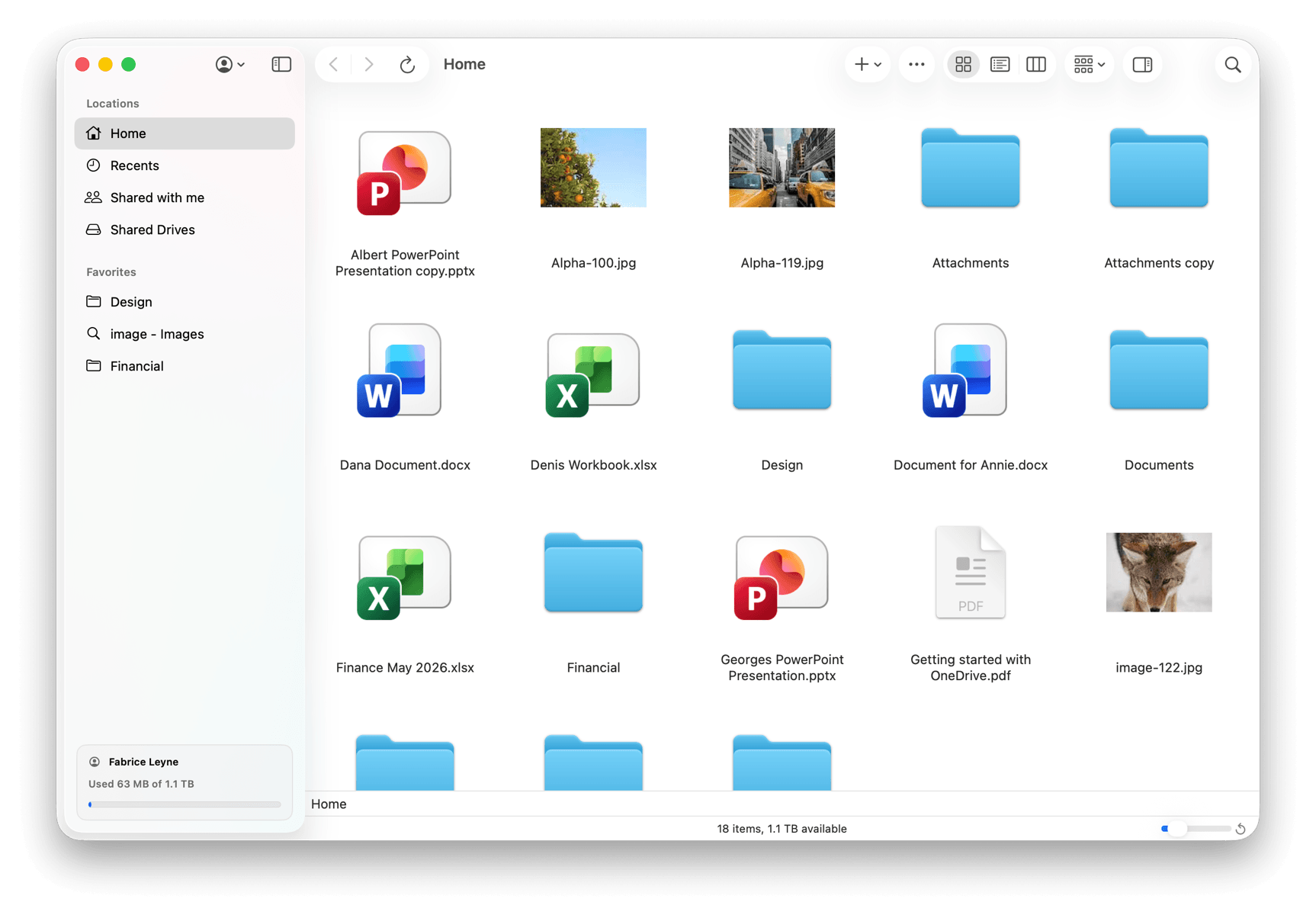
Work files should feel easier to handle.
OneDrive often becomes part of a heavier sync workflow than many people actually want. Smart Access for OneDrive gives Mac users a simpler place to browse, organize, and stay on top of work files without extra friction.
Stay on top of everyday OneDrive tasks.
Browse folders, preview documents, organize content, rename items, move files, share links, and download only what you need. When it is time to work on a file, open it through the usual Microsoft web flow and keep moving.
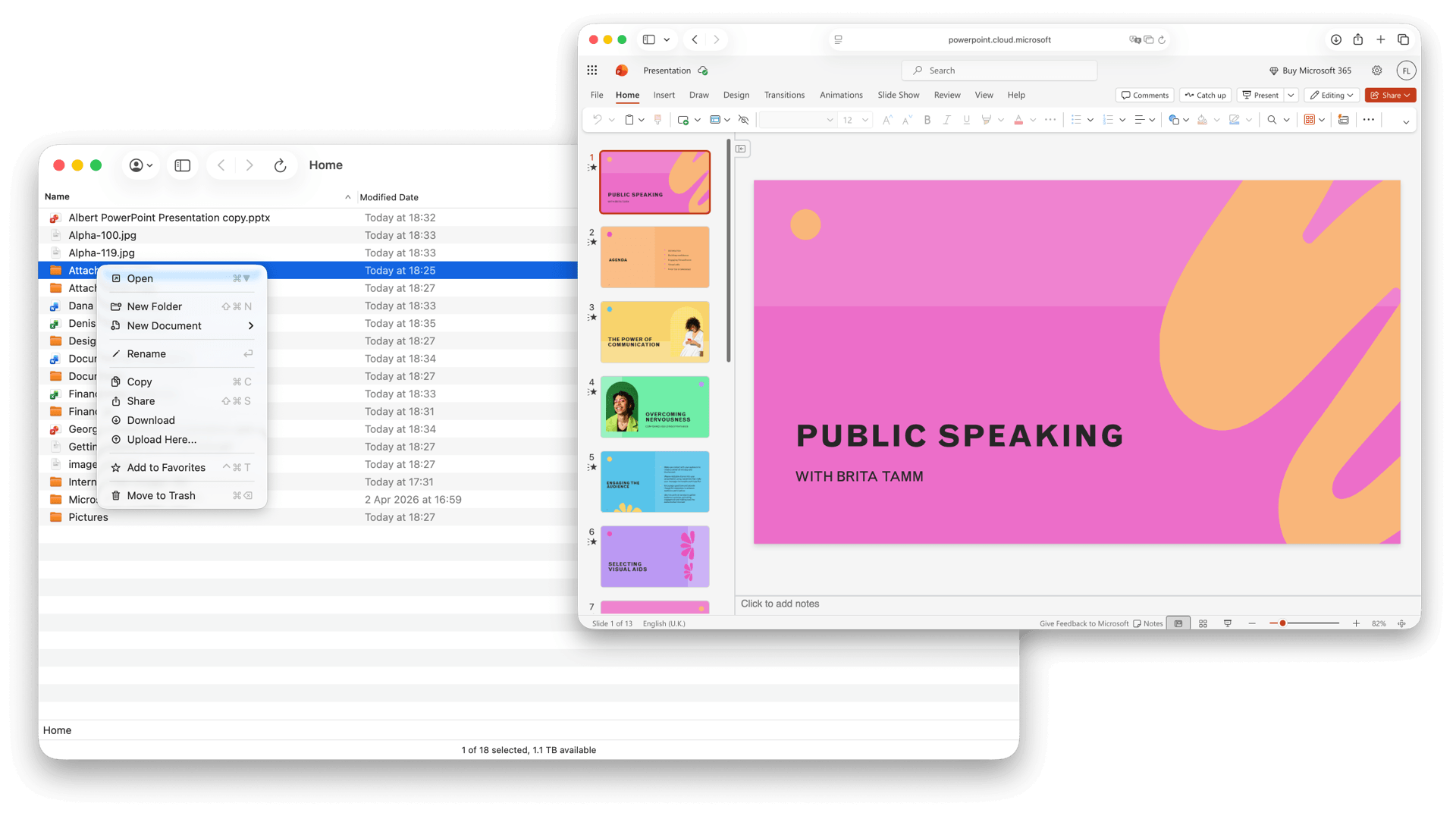
Keep files in OneDrive until you need them.
Files stay in OneDrive until you choose to download them. That helps keep your Mac lighter, saves disk space, and gives you more control over what should actually be stored locally.
Direct connection. Clear boundaries.
Smart Access for OneDrive connects through the official Microsoft API. The connection stays between your Mac and Microsoft's services, and in normal use Atvra does not receive or store the contents of your files.
FAQ
Why not just use the official OneDrive app?
Because many users do not want a sync-heavy experience for everyday file work. Smart Access for OneDrive focuses on browsing, previewing, organizing, and sharing files in a simpler Mac workflow.
Does it download everything?
No. Files stay in OneDrive unless you explicitly choose to download them.
Can it help save disk space?
Yes. Because files stay in OneDrive until you choose to download them, you do not have to keep everything stored locally on your Mac.
Can I connect more than one account?
Yes. Smart Access for OneDrive lets you browse and organize more than one account in one Mac workflow.
How do I open a document?
You open it through the usual Microsoft web flow, either in your browser or inside the app's internal browser.
How is my data handled?
The app connects directly between your Mac and Microsoft's services. In normal use, Atvra does not receive or store the contents of your files.
Handle OneDrive with less friction.
Use a focused Mac app for browsing, organizing, previewing, and sharing OneDrive files while leaving files in OneDrive until you want them on your Mac.